Google Contacts for Android update adds lots of changes to view and suggestions
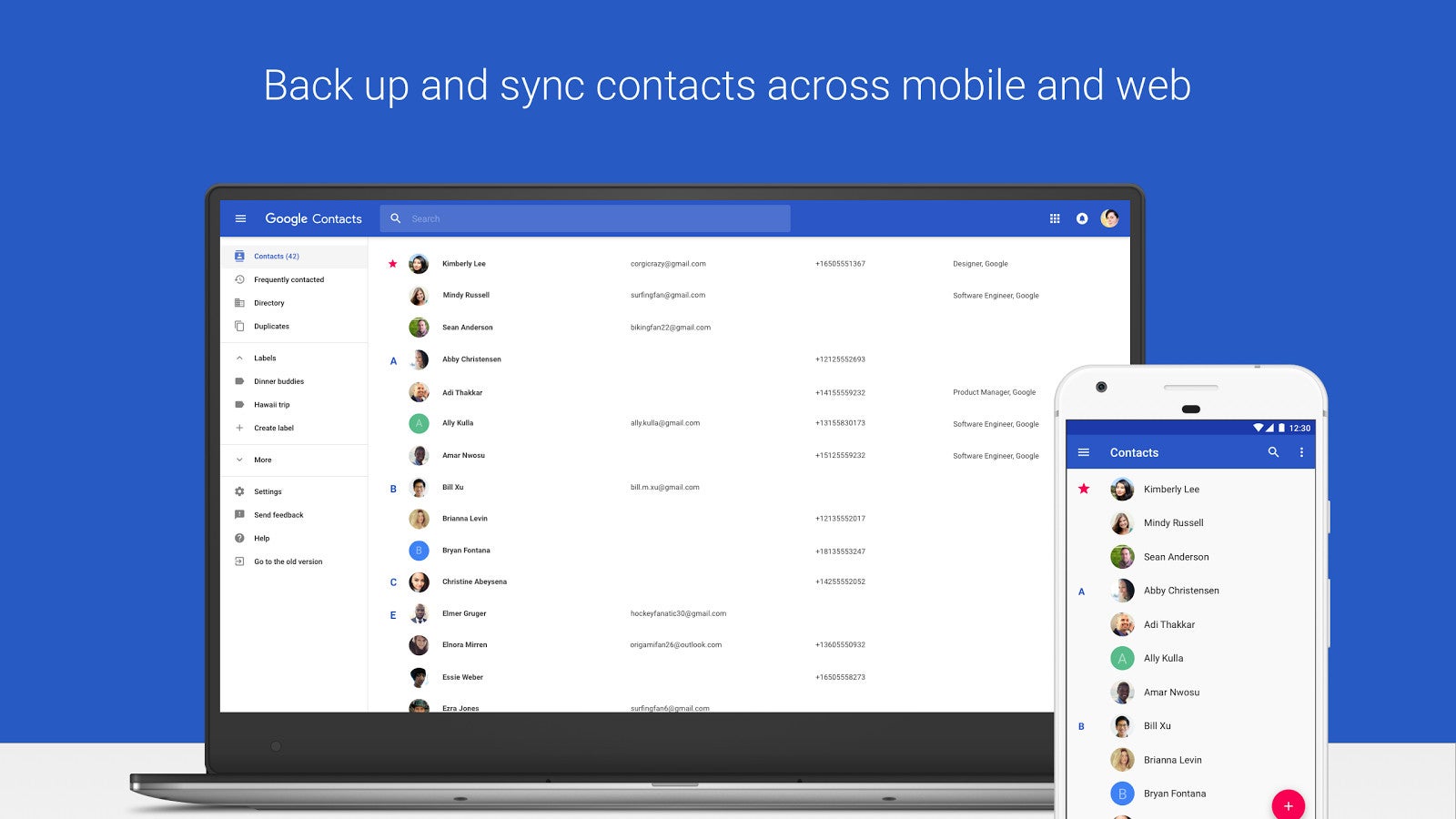
But let's start with the most obvious changes that you'll see at first glance. First off, the large photos have been brought back, although Google dropped them a few iterations ago. Following user feedback, Contacts will now display a larger, more vibrant contact photo.
Finally, the last major improvement in the Contacts view area is related to directory cards, which will now show directory profile information. Expect to see many details like the contact's job title, work phone number, manager name, office location and so on.
Another “MERGE ALL” button will now be available to Contacts users on Android, which allow them to accept all duplicates suggestions at once.
Last but not least, the update brings new customization option for the Contacts list view, allowing users to view just the labels they want. The customization menu has been added to the main list screen and is called “Customize view.” This particular feature was available in the previous versions of the app, but now it works for individual accounts as well.


Popular stories
Latest News


Things that are NOT allowed:
To help keep our community safe and free from spam, we apply temporary limits to newly created accounts: